DreamWave AI Headshots Review: Realism, Editing Tools, and How It Compares to Proshoot
An independent DreamWave AI review based on real test results: where it excels at workflow and editing, where face likeness falls short.
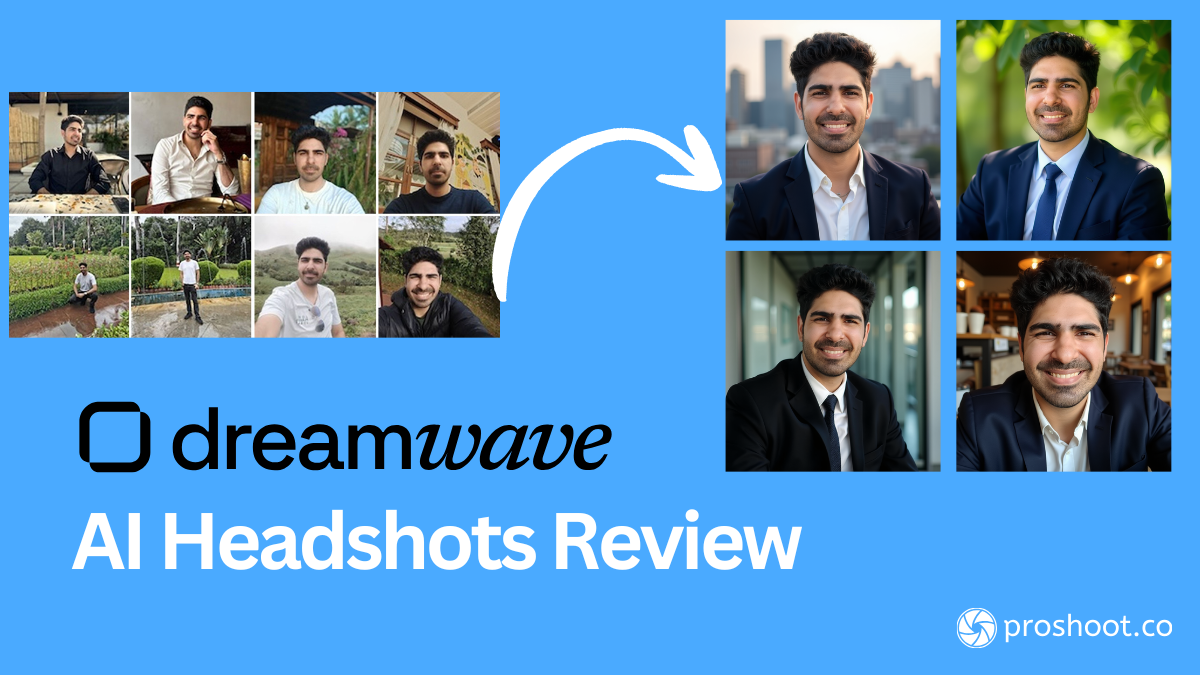
Table of Contents
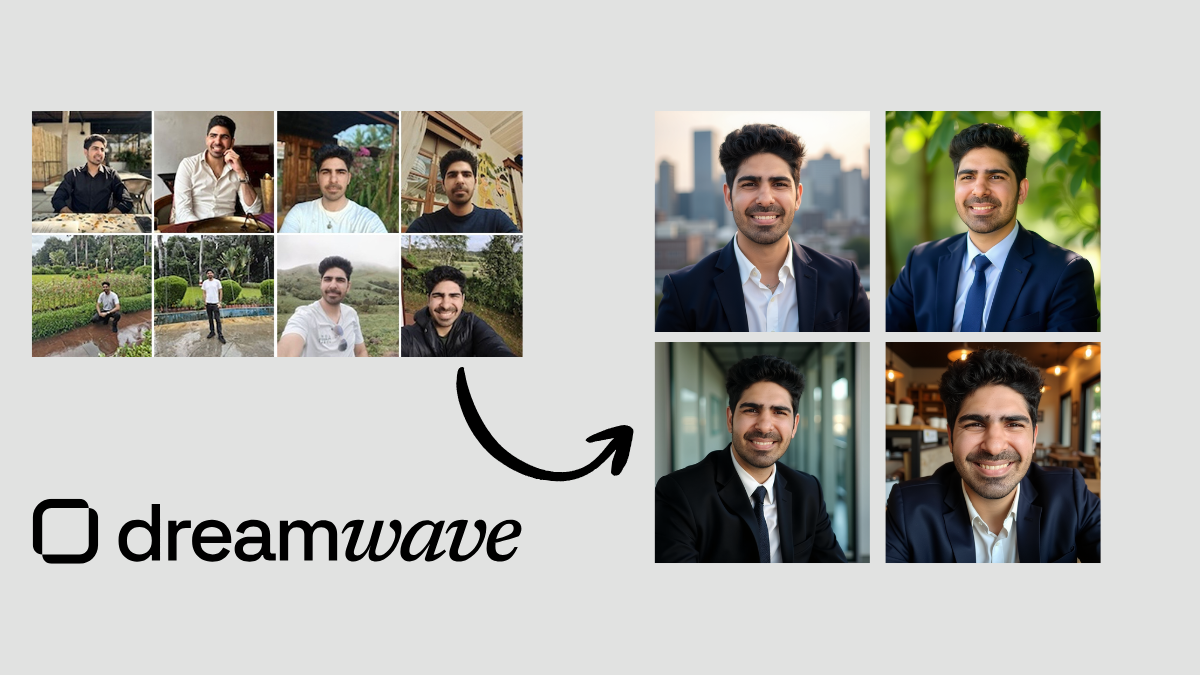
Short answer: In an independent DreamWave AI review that tested both tools with the same input photos, Proshoot produced better results than DreamWave for face likeness and professional identity accuracy. DreamWave delivered a simpler onboarding flow, strong post-generation editing tools, and polished styling. Proshoot delivered stronger face resemblance, more consistent body composition, and outputs Sarwar would use on LinkedIn from the same dataset.
DreamWave vs Proshoot at a glance:
| Criteria | DreamWave AI | Proshoot |
|---|---|---|
| Face likeness | Average: resembles the person, but drifts | Strong: highest in the test |
| Onboarding | Minimal: styles + upload only | More setup: attributes, outfits, backgrounds |
| Styling / aesthetics | Polished compositions | Realistic, less glamour |
| Built-in editor | Strong: eyes, teeth, filters, crops | Yes: backgrounds, outfits, touch-ups |
| Body composition | Inconsistent in some outputs | More accurate overall |
| Privacy footprint | Fewer personal attributes collected | Standard attribute inputs |
| Turnaround | A few hours | ~45 minutes |
| Pricing | $35 to $99 | From $35 for 40 headshots |
That comparison comes from an independent test run by Sarwar Baker, founder of AI Headshot Co.. Sarwar paid for every tool himself, used the same photo dataset across all reviews, and published his findings on his site. You can read his full DreamWave review here. He shared his experience with us for this article, and we have his permission to reference it.
Most DreamWave AI reviews focus on how fast and simple the tool feels. That is fair. DreamWave asks for less personal data than many competitors. You pick styles, upload photos, and wait. But for professional headshots, the more important question is whether the output still looks like you when someone who knows you sees it on LinkedIn.
In Sarwar's test, DreamWave produced professional-looking images with good styling and a useful editor. Proshoot, using the identical Jason dataset, produced headshots with stronger face likeness and more consistent identity accuracy.
The sections below walk through exactly what Sarwar found, with outputs from his published review.
TLDR
- ✅ Minimal onboarding with fewer personal attributes than most competitors
- ✅ Clean upload flow, straightforward checkout, and email notifications when results are ready
- ✅ Strong post-generation editor with auto eye and teeth adjustments
- ✅ Professional styling, coordinated outfits, and polished compositions
- ❌ Face likeness was average: outputs resemble the person but do not always look definitively like them
- ❌ Some outputs drifted on both face structure and body composition
- ❌ Occasional casual selfie-style outputs that do not feel LinkedIn-ready
- 👉 Best for: users who want a low-friction workflow and strong editing tools. Sarwar got stronger likeness results with Proshoot on the same photos.
How Sarwar ran the test
Sarwar used the same input dataset across every AI headshot tool he reviewed on AI Headshot Co. to keep comparisons fair.
The photos belong to his friend Jason, who agreed to let Sarwar use them specifically for these tests. Eight candid and selfie-style images. No studio setup. The kind of photos most people actually have on hand.
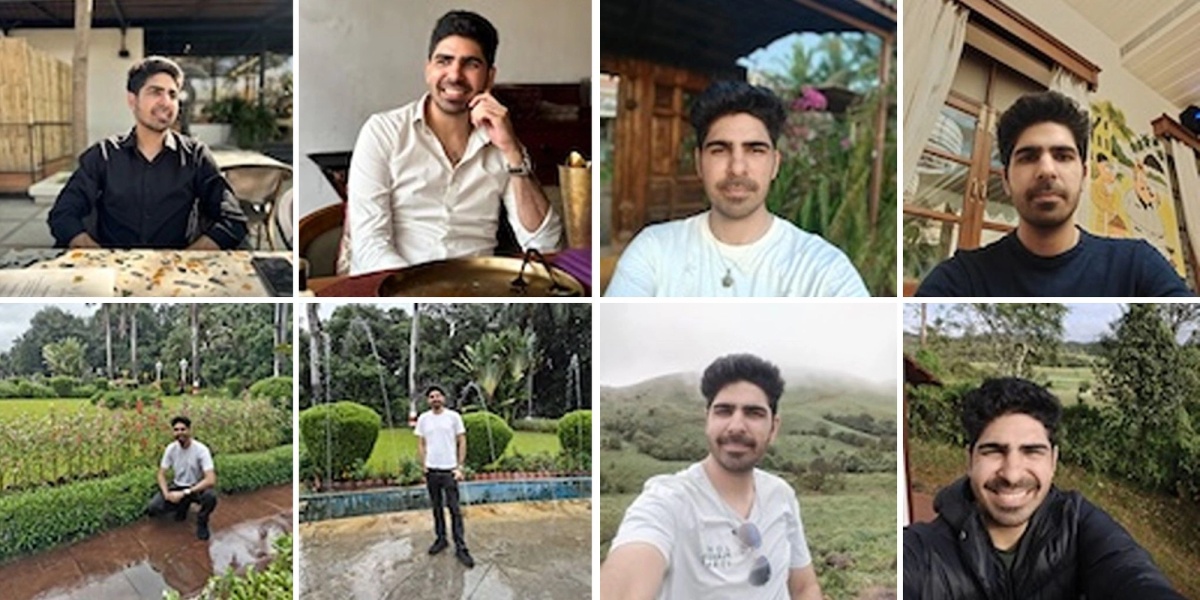
Sarwar evaluated each tool on the same criteria: face likeness, realism, professionalism for LinkedIn, artifacts (teeth, eyes, clothing edges), body composition consistency, and how useful the built-in editor was for fixing near-miss images.
Tip: Sarwar found that input photo consistency matters more than variety. Same hairstyle, same facial features, and consistent expressions produce more predictable results across every tool in his comparison.
DreamWave AI: Sarwar's results
The good: simple workflow and polished styling
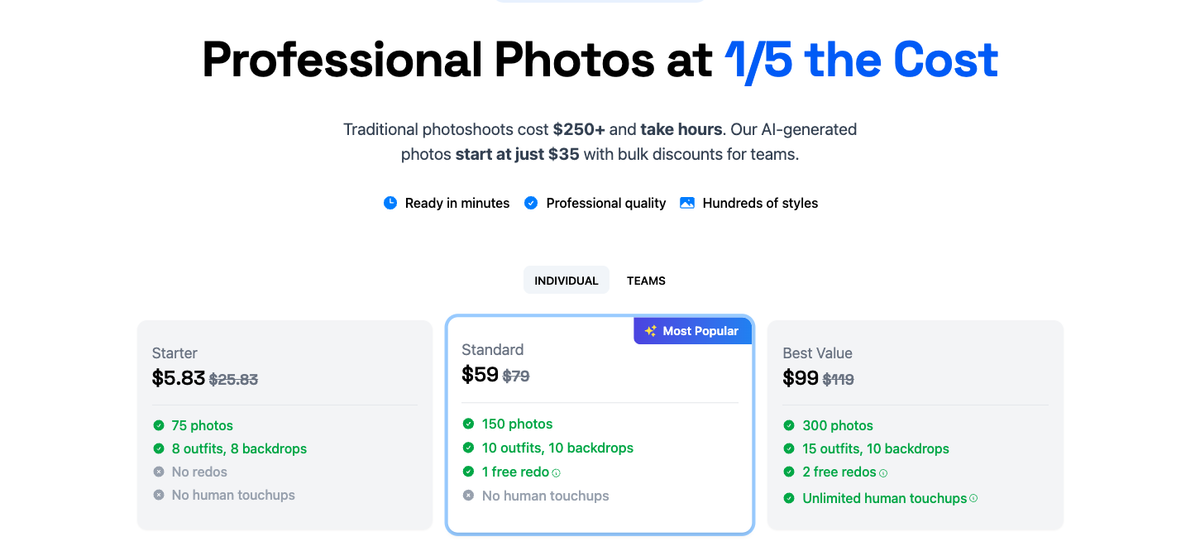
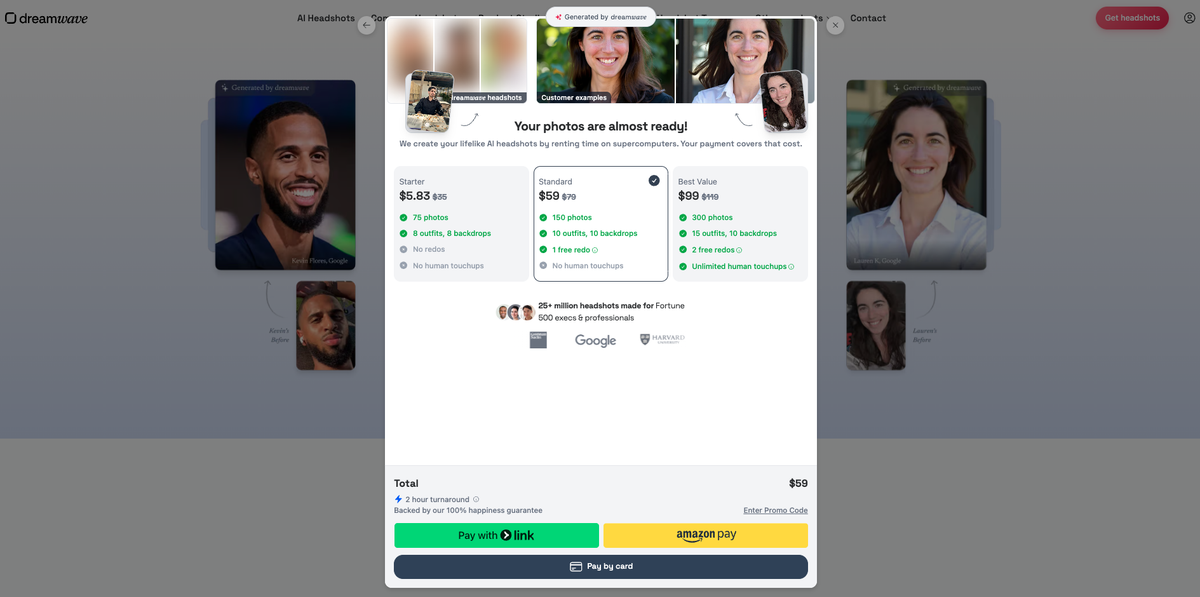
DreamWave's onboarding is intentionally minimal. Pick a plan, pick styles, upload photos, wait for results. No long forms for ethnicity, body type, or eye colour.
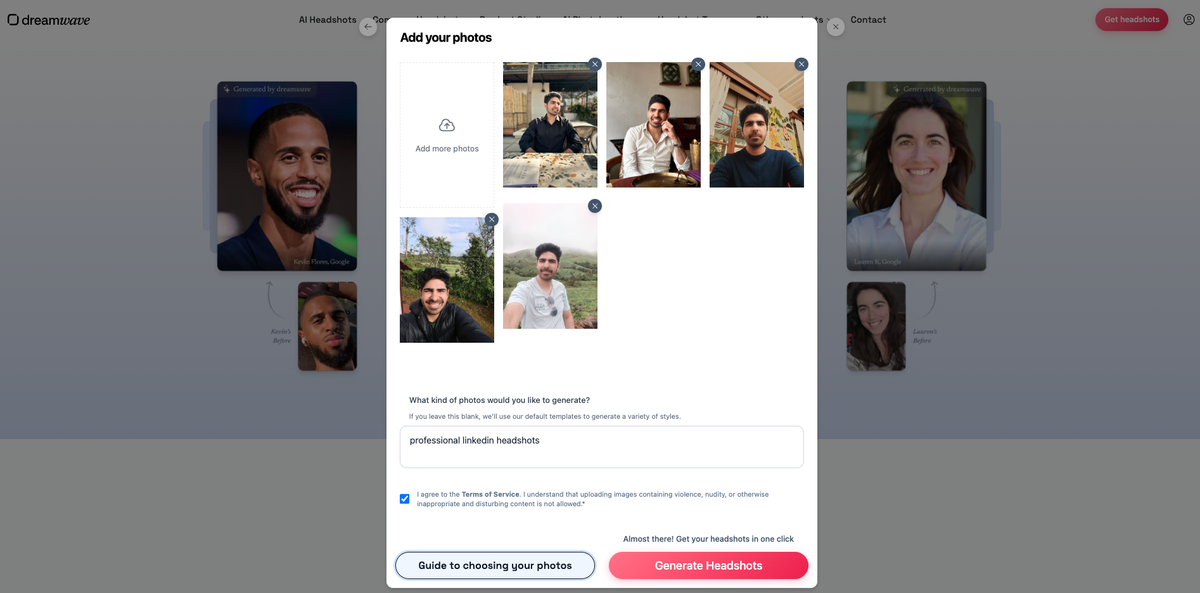
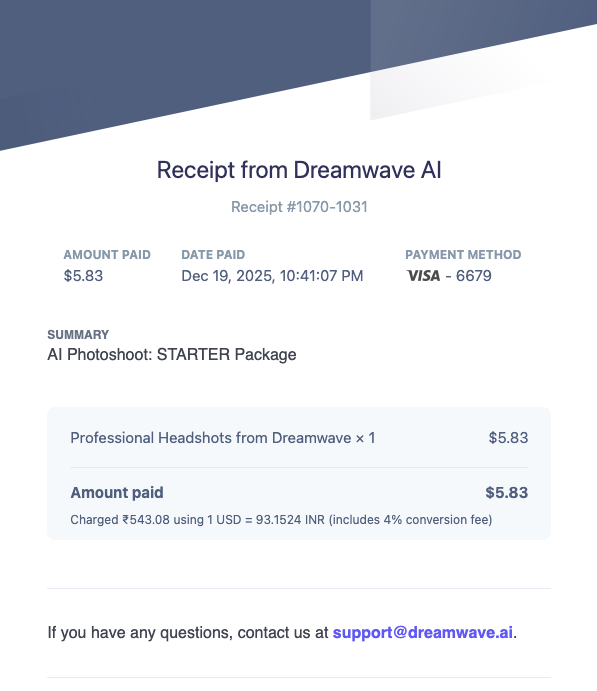
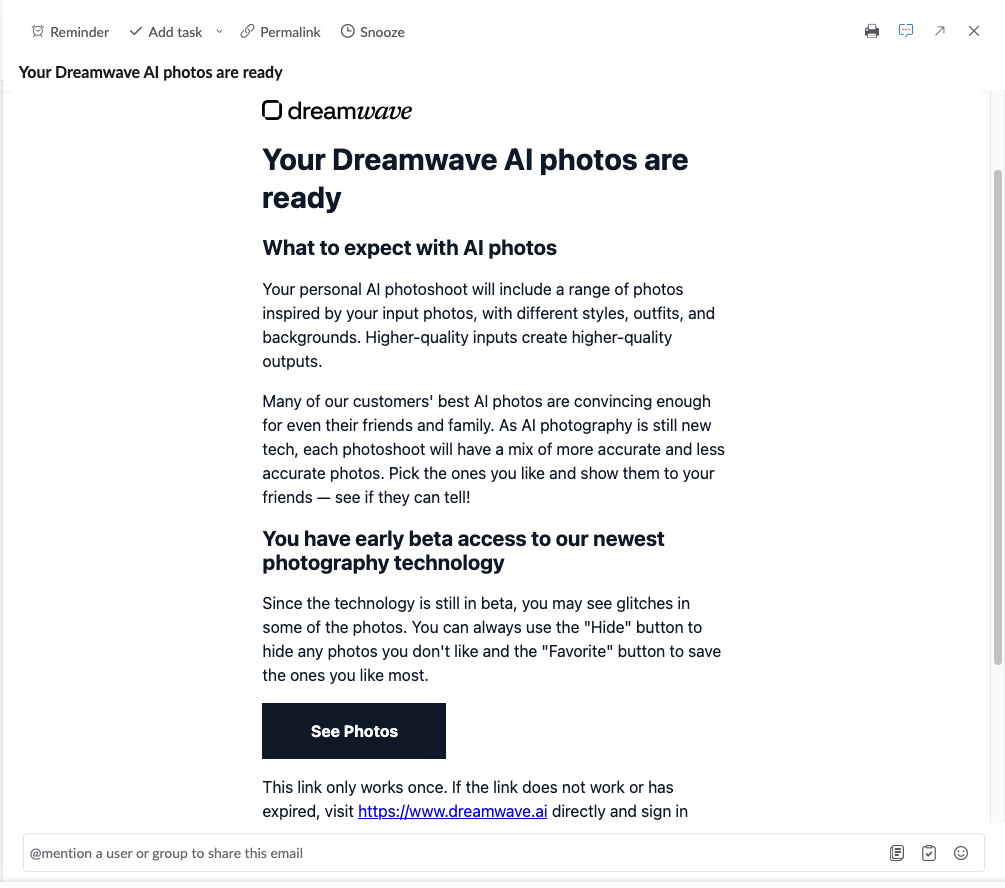
The checkout flow was straightforward. Sarwar received a Stripe receipt and an email notification when his headshots were ready.
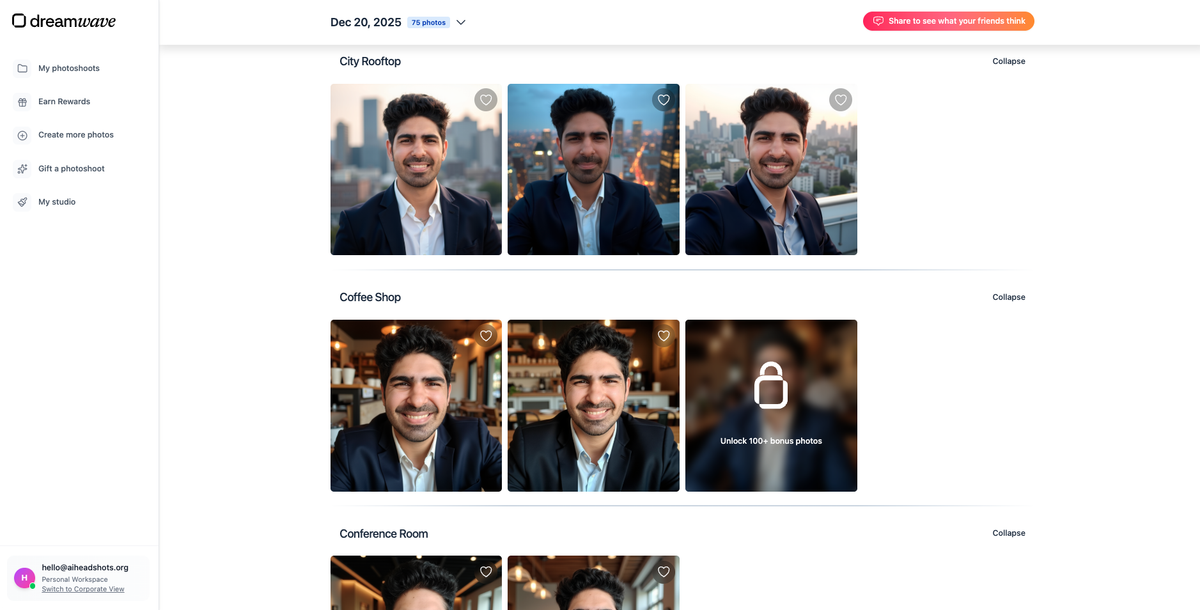
DreamWave's best output from the test combined strong overall styling with a professional composition.
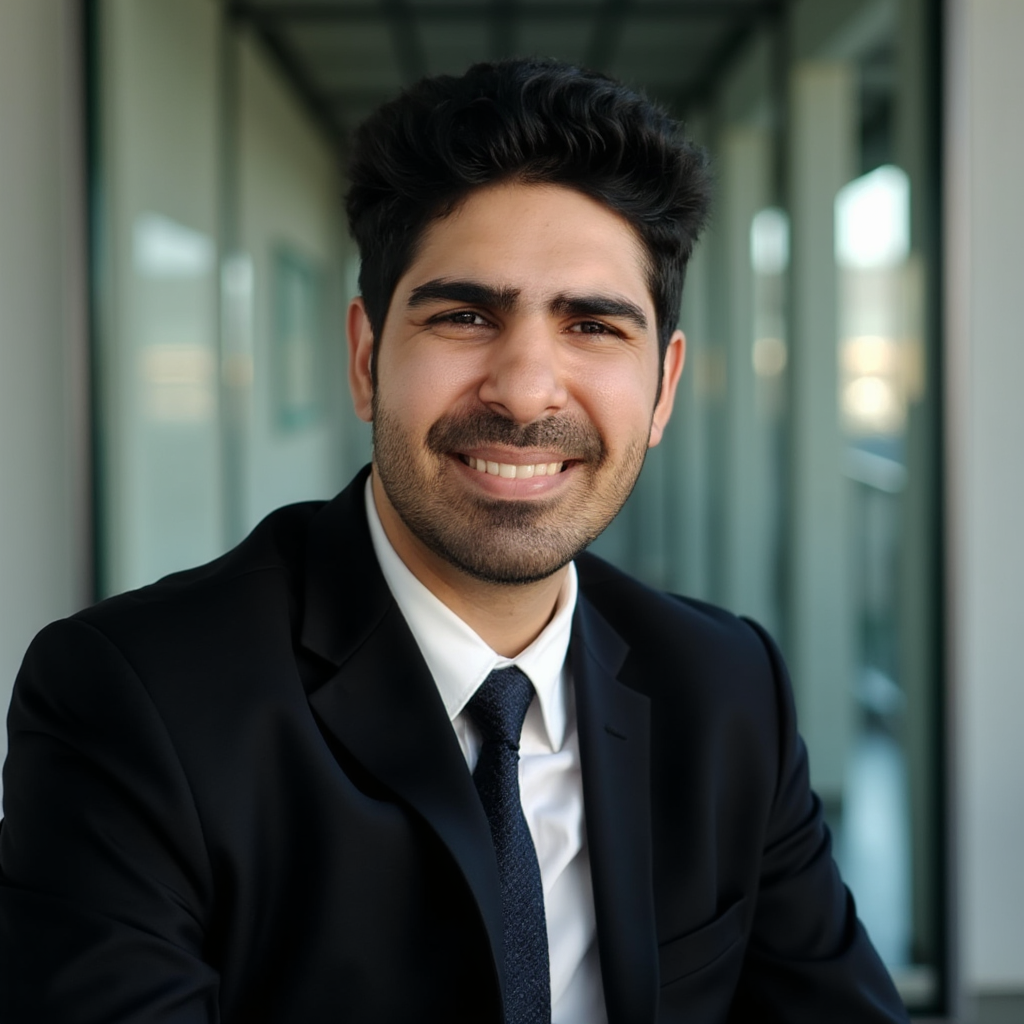
At a glance, many DreamWave outputs look ready for a professional profile. Good backgrounds, coordinated outfits, and compositions that do not need heavy manual work.
The gaps: likeness, body composition, and casual outputs
That said, face likeness was the main limitation in Sarwar's test.
DreamWave outputs often landed in an in-between zone: the person is recognisable, but not always definitively them. For LinkedIn or a company bio where colleagues need to recognise you instantly, that gap matters.
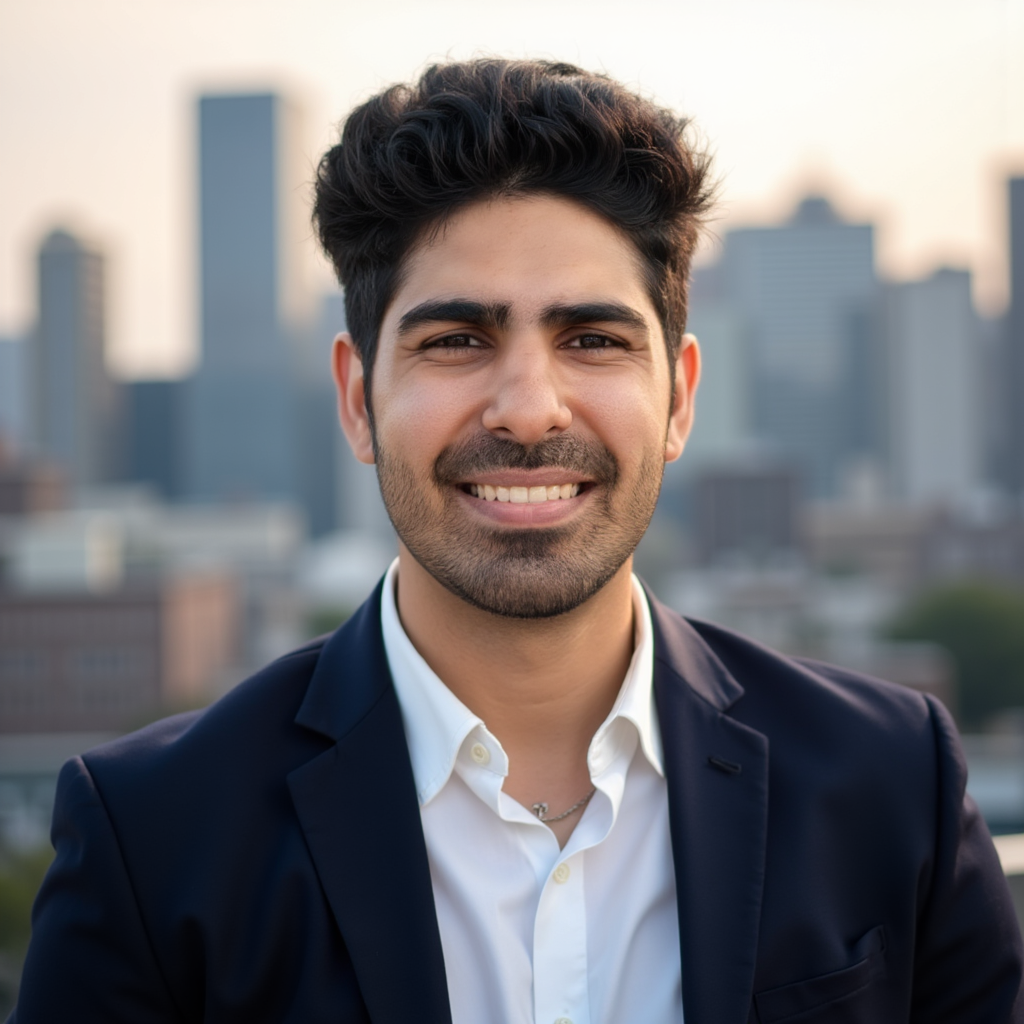
Some outputs also missed on both face resemblance and body composition at the same time.
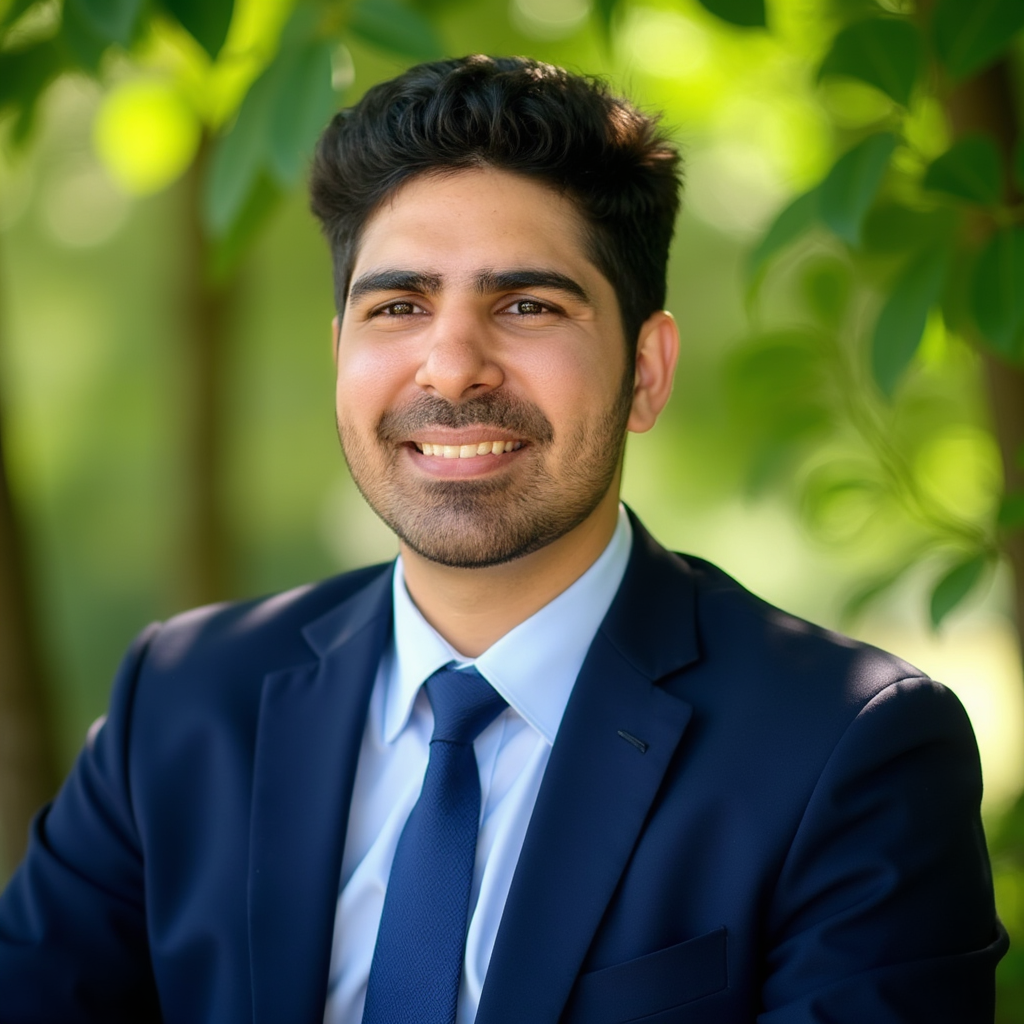
Sarwar also received casual selfie-style outputs that did not feel appropriate for professional use.
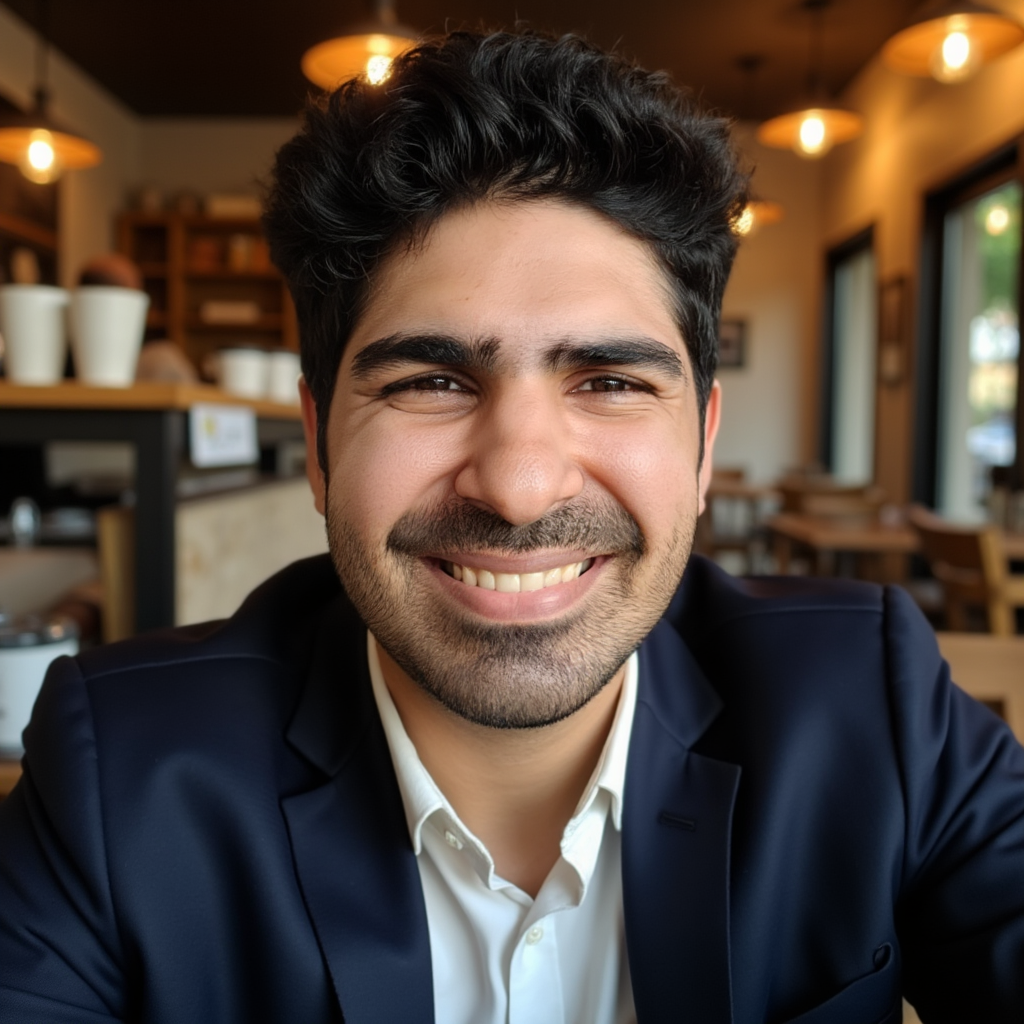
DreamWave usually avoids extreme plastic-looking skin, but some images still read as AI-polished depending on the style selected. Realism was good enough for general online presence. Less consistent for corporate headshots where you want to replace a real photographer.
DreamWave editing tools: a genuine strength
DreamWave includes one of the stronger post-generation editors Sarwar tested across the category.
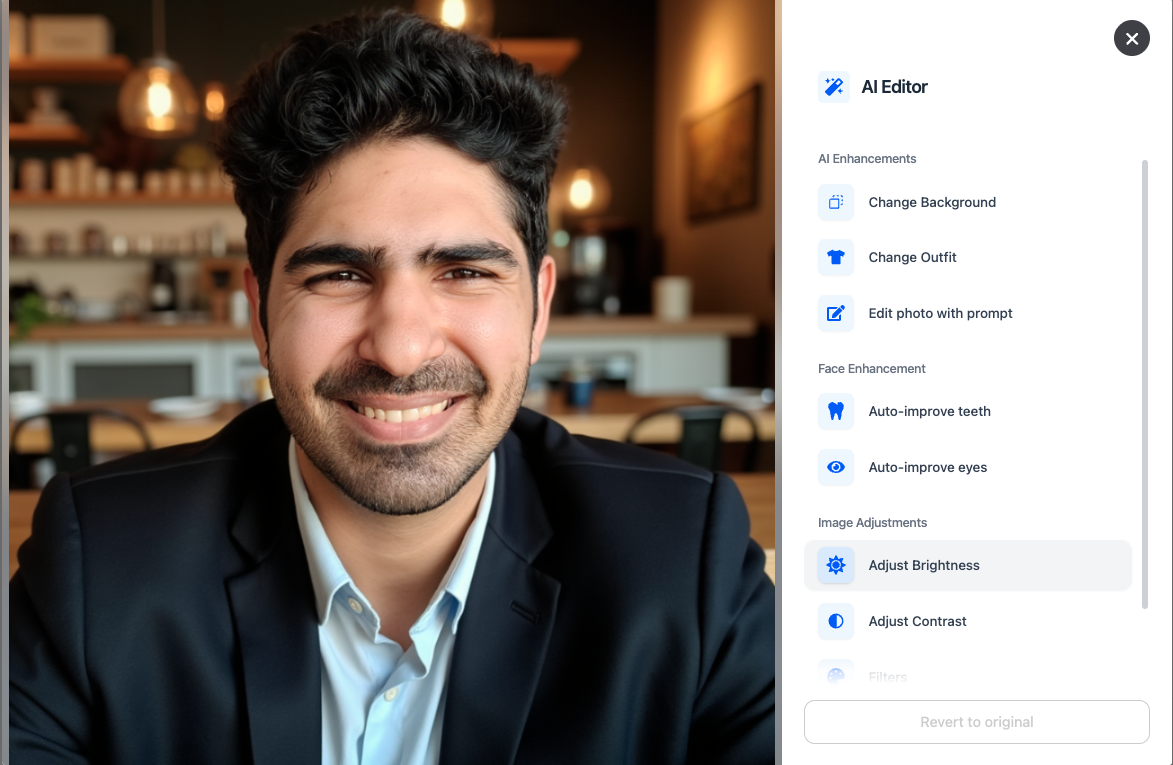
The editor supports filters, cropping, framing adjustments, and AI-based touch-ups. Higher tiers include human editing services.
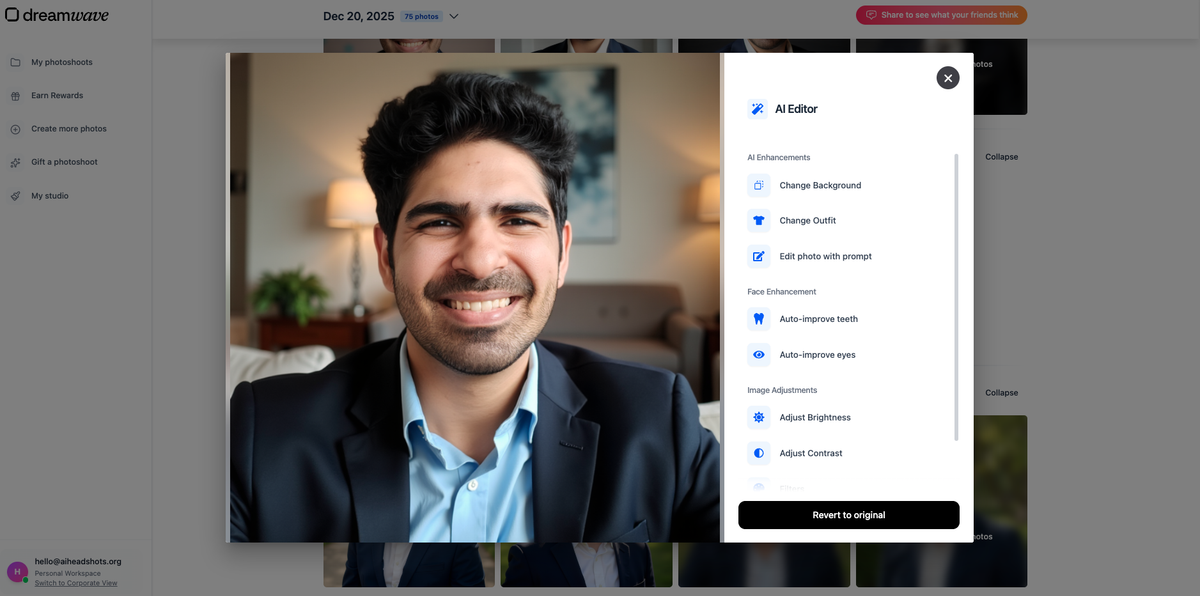
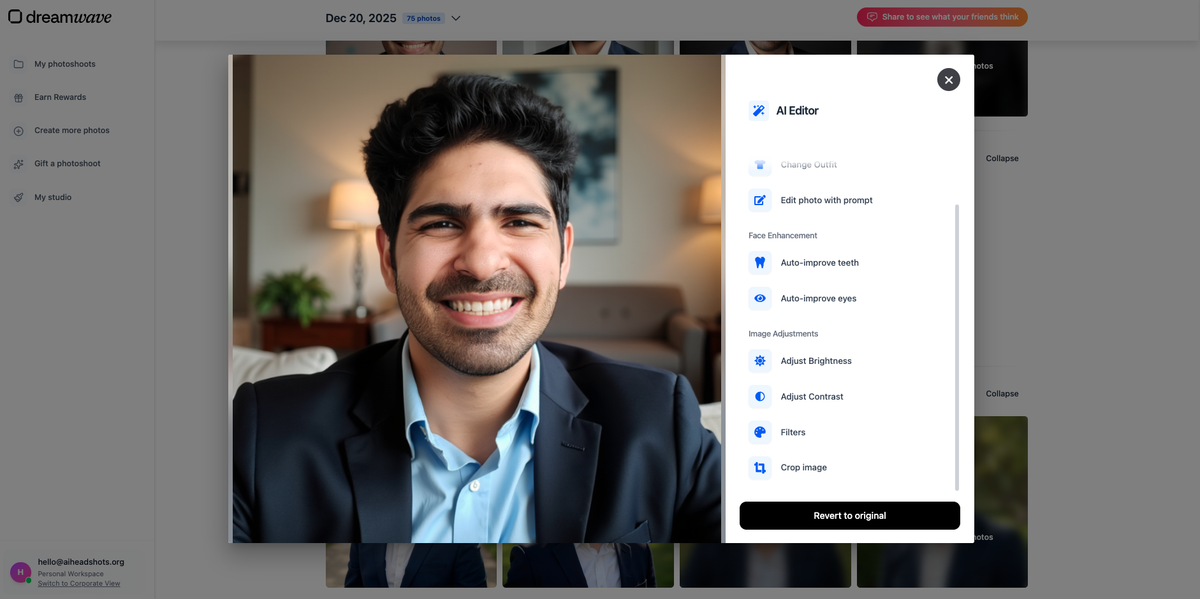
One important caveat Sarwar noted: when you edit facial features like teeth or eyes, expect mixed results. The editing model does not always know what your real teeth or eyes should look like. The editor helps refine near-miss images. It does not fix fundamental likeness problems.
What DreamWave does well (beyond Sarwar's test)
Sarwar's test captures one dataset and one person's evaluation criteria. There are also areas where DreamWave genuinely stands out as a product.
Minimal onboarding. DreamWave collects fewer personal attributes than most competitors. You pick styles and upload photos. That reduces friction and limits the metadata you share upfront.
Privacy-friendly workflow. Less personal data at signup does not automatically mean more private, but the smaller data footprint is a real advantage for users who dislike long attribute forms.
Professional styling. Outputs often look coordinated and presentation-ready without manual tweaking. Good for users who care more about polished aesthetics than strict identity accuracy.
Strong editor. Post-generation editing is one of DreamWave's clearest differentiators. Background adjustments, filters, auto eye and teeth tools, and human editing on higher plans give you real refinement options.
Competitive volume at higher tiers. The top plan can deliver up to 300 headshots, which is strong value if you need variety across styles and backgrounds.
Occasional discounts. Sarwar encountered limited-time promotions during testing that brought the price down significantly. At standard pricing, DreamWave sits in the mid-to-upper range, but discounts can make it very good value.
DreamWave pricing
DreamWave uses one-time package pricing. During Sarwar's test, plans ran from $35 to $99, with the highest tier offering up to 300 headshots.
| Plan tier | Starting price (Sarwar's test) | Headshots | Notable extras |
|---|---|---|---|
| Entry | $35 | Varies by plan | Core generation + commercial license |
| Mid | ~$49 to $69 | More outputs + styles | Additional AI edits |
| Top | $99 | Up to 300 | Human editing, more refinement tools |
Exact plan names and headshot counts can change. Check DreamWave's pricing page before ordering. For broader context on what AI headshots typically cost, see our AI headshot pricing guide.
At full price, DreamWave competes with tools that delivered stronger face likeness in Sarwar's comparison. At a heavy discount, the value proposition shifts noticeably in DreamWave's favour.
Proshoot: Sarwar's results
Sarwar ran the same Jason dataset through Proshoot as part of the same comparison on AI Headshot Co..
Proshoot took a different approach. More upfront setup: personal attributes, outfit and background style pairs, and detailed upload guidelines. The tradeoff was stronger identity preservation in the outputs.
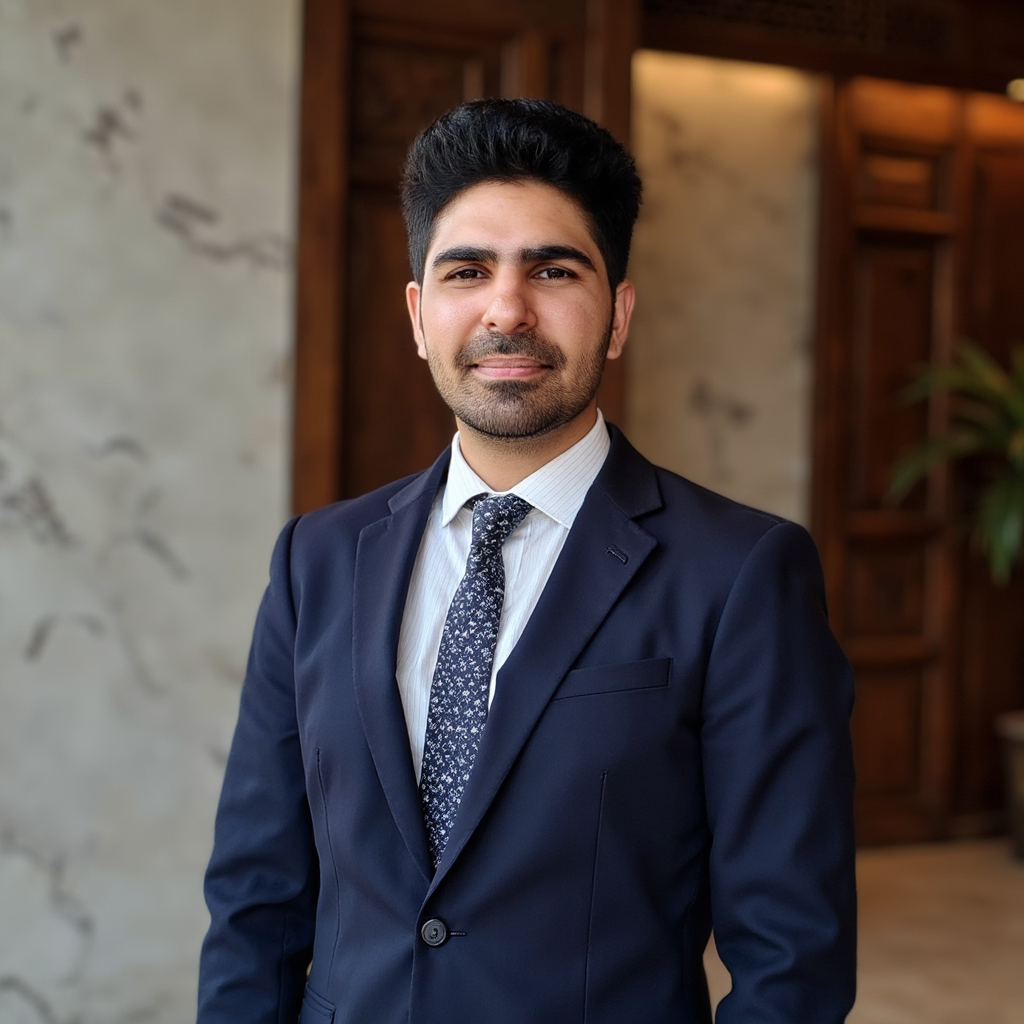
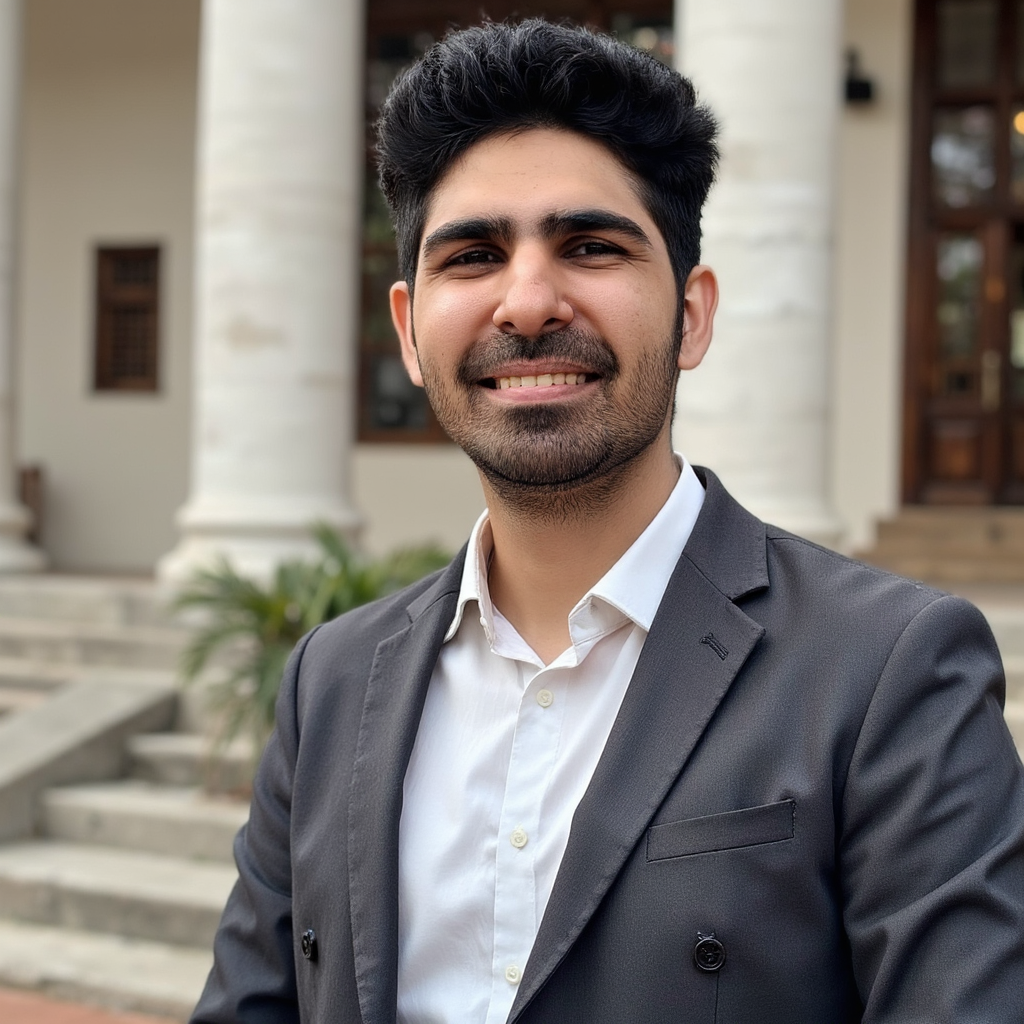
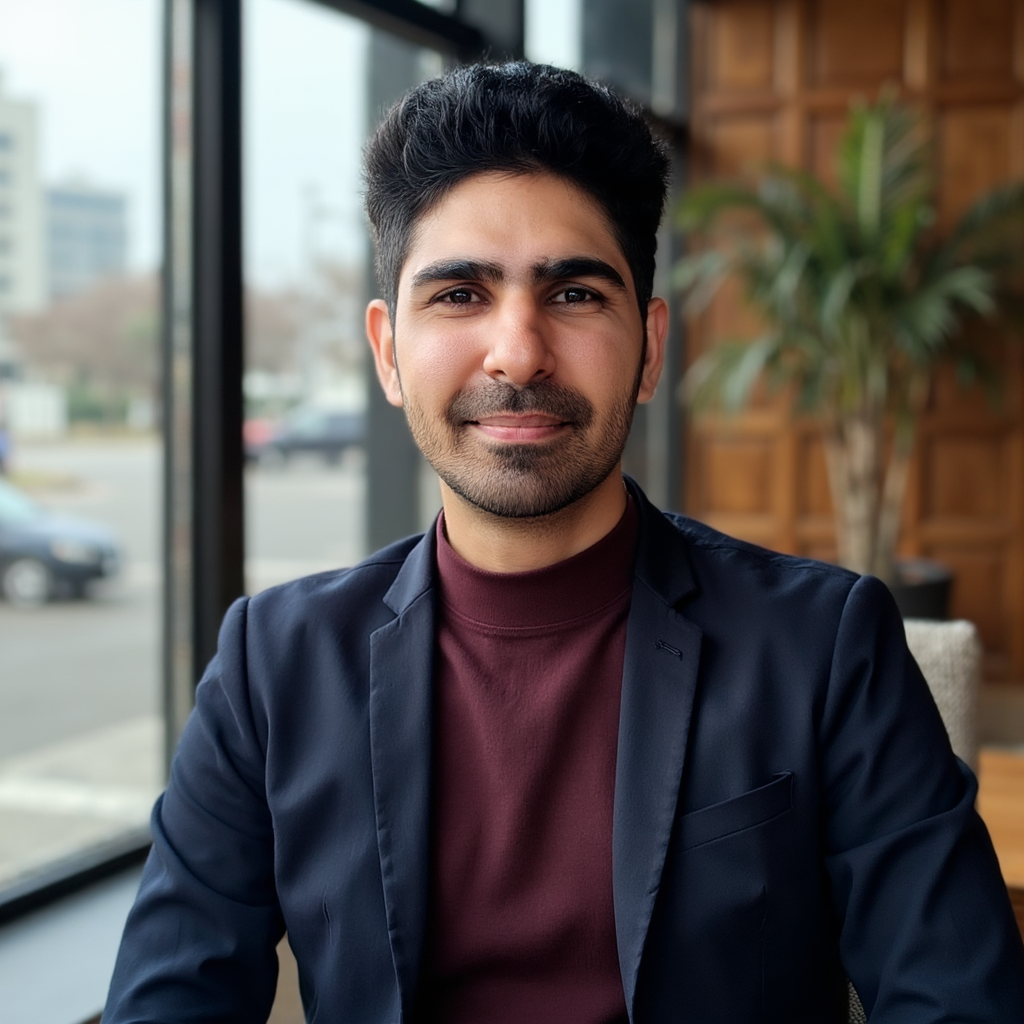
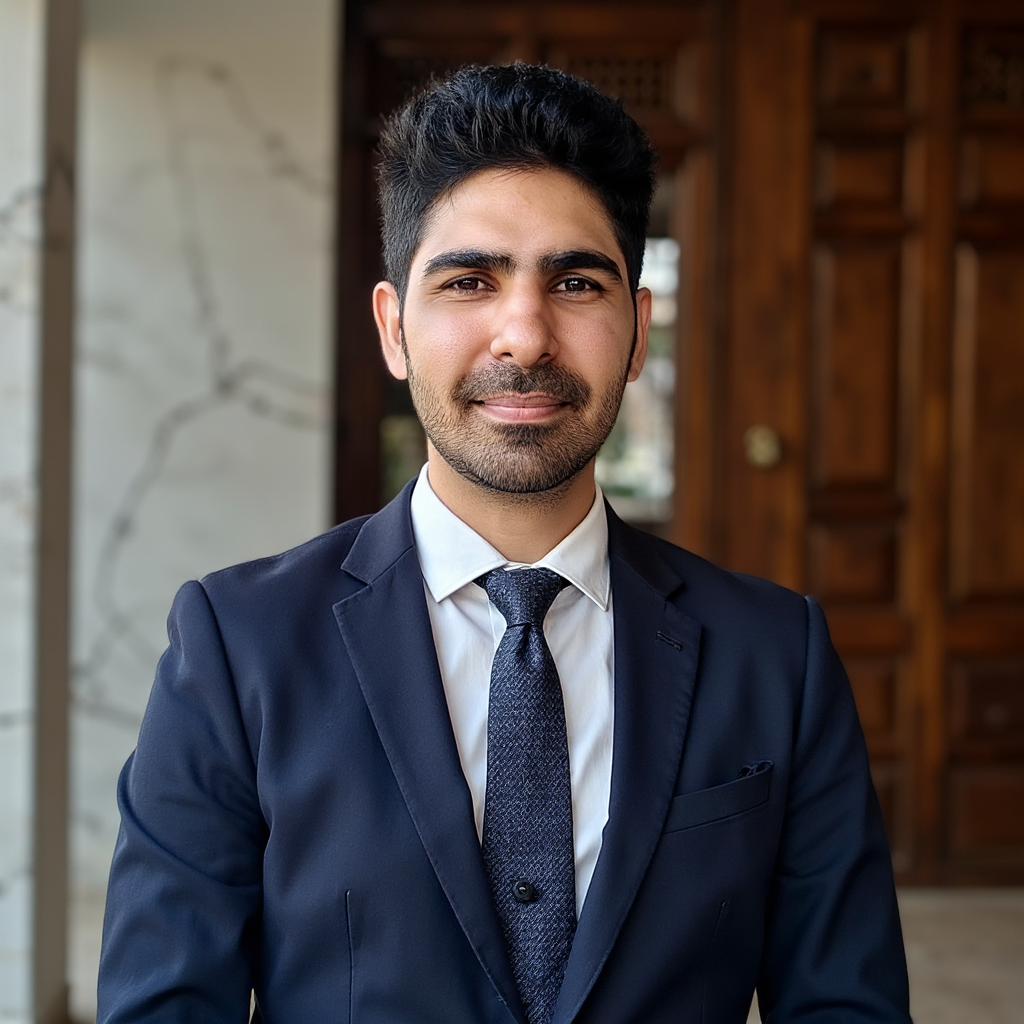
Proshoot consistently delivered the highest face likeness in Sarwar's testing. The images sometimes felt almost too real: visible outfit wrinkles, home-shot lighting, less studio glamour. For LinkedIn and team pages where recognition matters, that realism was the point.
Proshoot's editor handled background and outfit adjustments well. Like every tool Sarwar tested, face-specific edits (teeth, eyes) remained unreliable across the category.
Side-by-side comparison
| DreamWave AI | Proshoot | |
|---|---|---|
| Face likeness | Average: resembles but drifts | Strong: best in Sarwar's test |
| Distinctive features | Can soften or shift | Preserved more consistently |
| Body accuracy | Inconsistent in some outputs | More accurate overall |
| Styling / aesthetics | Excellent: polished compositions | Good: realistic over glamorous |
| Onboarding | Minimal attributes | More detailed setup |
| Built-in editor | Strong: eyes, teeth, filters | Yes: backgrounds, outfits |
| Turnaround | A few hours | ~45 minutes |
| Privacy footprint | Smaller attribute collection | Standard inputs |
| Pricing | $35 to $99 | From $35 for 40 headshots |
For a broader look at how these tools fit the market, see our best AI headshot generators roundup, plus the Aragon AI and BetterPic reviews from the same independent testing series.
Who should choose DreamWave?
DreamWave is a strong fit if:
- You want a simple, low-friction workflow without long attribute forms
- You prefer sharing fewer personal details during onboarding
- Polished styling and professional compositions matter more than strict likeness
- You want strong post-generation editing tools to refine near-miss images
- You need high output volume (up to 300 headshots on the top plan)
- You are comfortable picking the best outputs from a larger batch
Sarwar's test showed average face likeness, not unusable results. DreamWave can work for general professional profiles, creator pages, and users who value editing flexibility over identity precision.
Who should choose Proshoot?
Proshoot is a better fit if:
- You want headshots that actually look like you, not a styled approximation
- Face likeness and identity recognition matter for LinkedIn or corporate use
- Consistent body composition across outputs matters
- You are willing to spend more time on upfront style configuration for better accuracy
- You need a headshot where colleagues and clients will recognise you instantly
Bottom line
DreamWave AI is a well-built, low-friction AI headshot generator. Simple onboarding, clean interface, professional styling, and one of the stronger editors in the category. If you want polished headshots without filling out a long attribute form, it delivers.
Sarwar's test surfaces a clear tradeoff: DreamWave prioritises ease and presentation over strict identity accuracy. Face likeness was average. Some outputs drifted on facial structure and body composition. Casual selfie-style images appeared in the batch.
Proshoot's outputs looked like Jason on the same source photos. That was the point of the comparison.
You can read Sarwar's full independent review on AI Headshot Co., including his methodology and comparisons across every tool he tested.
If likeness matters most for your headshots, try Proshoot and see how your results compare.
Frequently Asked Questions

Fazil
Content Writer