BetterPic AI Headshots Review: Realism, Pricing, and How It Compares to Proshoot
An honest BetterPic AI review based on independent test results. What worked, what didn't, and how Proshoot compared on the same photos.
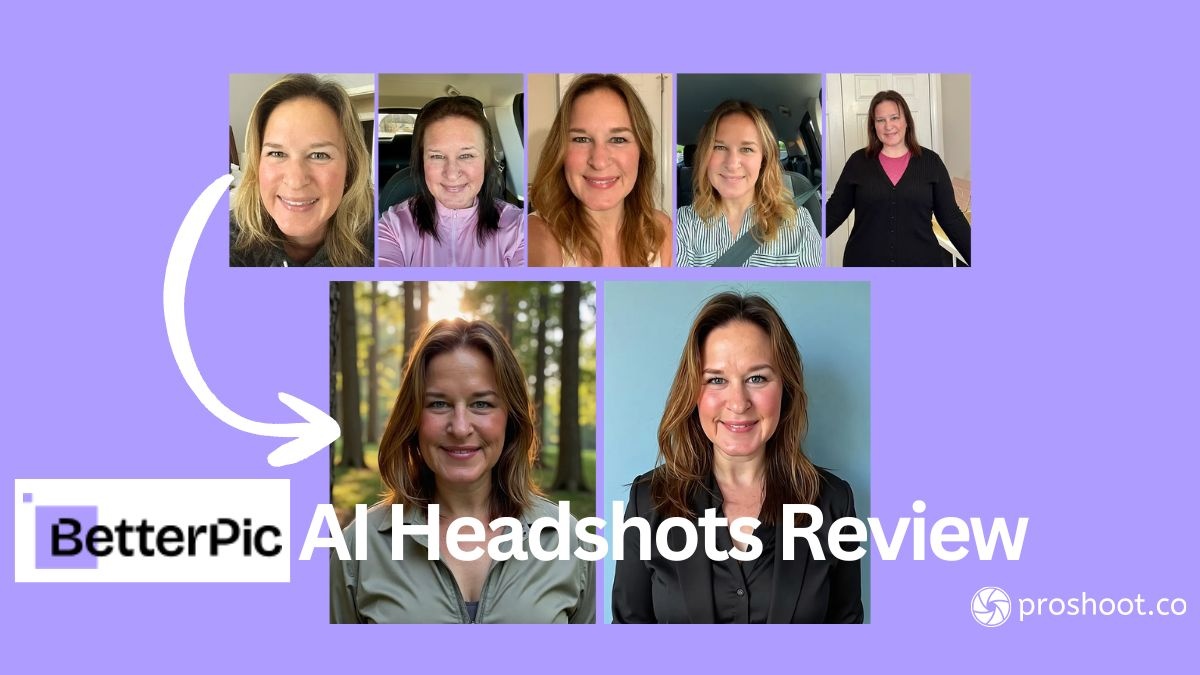
Table of Contents
Short answer: In an independent BetterPic AI review that tested both tools with the same input photos, Proshoot produced better results than BetterPic for professional headshots. Proshoot delivered natural expressions, accurate age representation, and consistent face likeness from the first attempt. BetterPic returned fast results and responsive support, but zero usable headshots across two full attempts in the same test.
BetterPic vs Proshoot at a glance:
| Criteria | BetterPic | Proshoot |
|---|---|---|
| Face likeness | Recognisable, but expression issues | Strong and consistent |
| Expression quality | Forced smiles, flat eyes | Natural and engaged |
| Skin realism | Heavy smoothing | Natural texture |
| Age accuracy | Wide variance (20s to 60s) | Accurate to source photos |
| Usable headshots | 0 across 2 attempts | Multiple from first attempt |
| Support | Responsive, free redo offered | Responsive, free redo offered |
| Turnaround | Under 1 hour | Under 2 hours |
That comparison comes from an independent test run by Sarah Gillam, a Lead Instructional Designer who paid for every tool herself, used her own photos, and published her findings on Medium. You can read her full review here. She shared her experience with us for this article, and we have her permission to reference it.
BetterPic markets 4K resolution, professional styling, and business-ready outputs. In Sarah's test, those claims did not translate into headshots she could use on LinkedIn or a company bio. Proshoot, using the identical source photos, produced headshots she was happy to publish.
Sarah noted that other reviewers reported success with BetterPic. Her experience was different. She spent the most time on this tool and still could not find a single usable headshot across two full attempts.
The sections below walk through exactly what she found, with outputs and direct quotes from her published review.
TLDR
- ✅ BetterPic support was responsive and offered a free redo without pushback
- ✅ Fast turnaround on both the original set and the redo
- ✅ Clean onboarding interface and competitive package pricing
- ❌ Sarah found expression quality inconsistent: smiles looked forced, eyes looked flat
- ❌ Age accuracy varied widely across outputs from the same photo set
- ❌ Hair colour input only appears after clicking Generate, which confused the setup flow
- 👉 Best for: professionals who want fast delivery and are willing to iterate. Sarah got better likeness results with Proshoot on the same photos.
How Sarah ran the test
Sarah used the same set of photos across all four tools in her comparison: a mix of selfies and candid shots taken in everyday conditions. No professional studio prep. Just the kind of photos most people actually have on hand.
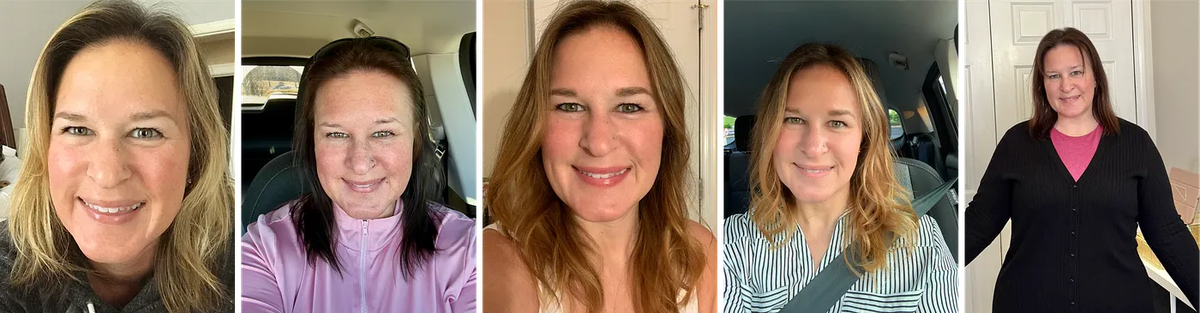
She evaluated each tool on the same criteria: face likeness, expression quality, skin realism, age accuracy, and whether she would actually use the results on LinkedIn or a company bio page.
Tip: Sarah learned that input photo quality matters more than variety. Consistent expressions and hairstyles produce more predictable results across every tool she tested.
BetterPic: Sarah's results
Setup and the hair colour UX
BetterPic's onboarding looks polished. During setup, it asks basic appearance questions, including eye colour. Straightforward enough.
But hair colour does not appear until after you click Generate.
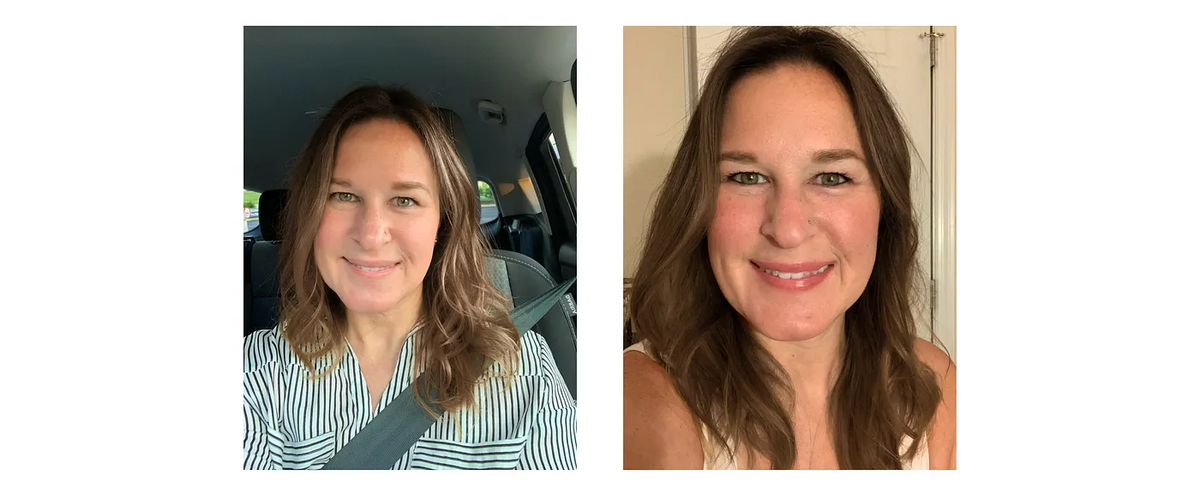
Sarah contacted support before uploading because her input photos had mixed hair tones. Support told her to edit her photos to make her hair brown. She spent a couple of hours doing that. Then she clicked Generate and found the hair colour selector she had been looking for the whole time.
"After all that time and effort, it turns out I didn't need to edit the input photos."
It is not a fatal flaw. But the sequencing is confusing, and it set the wrong tone before Sarah had seen a single result. If you are planning a BetterPic order, know that hair colour comes at the end of the flow, not during the initial appearance questions.
First set of results: expression and eye quality
The first batch came back in under an hour. Sarah could not use a single image from it.
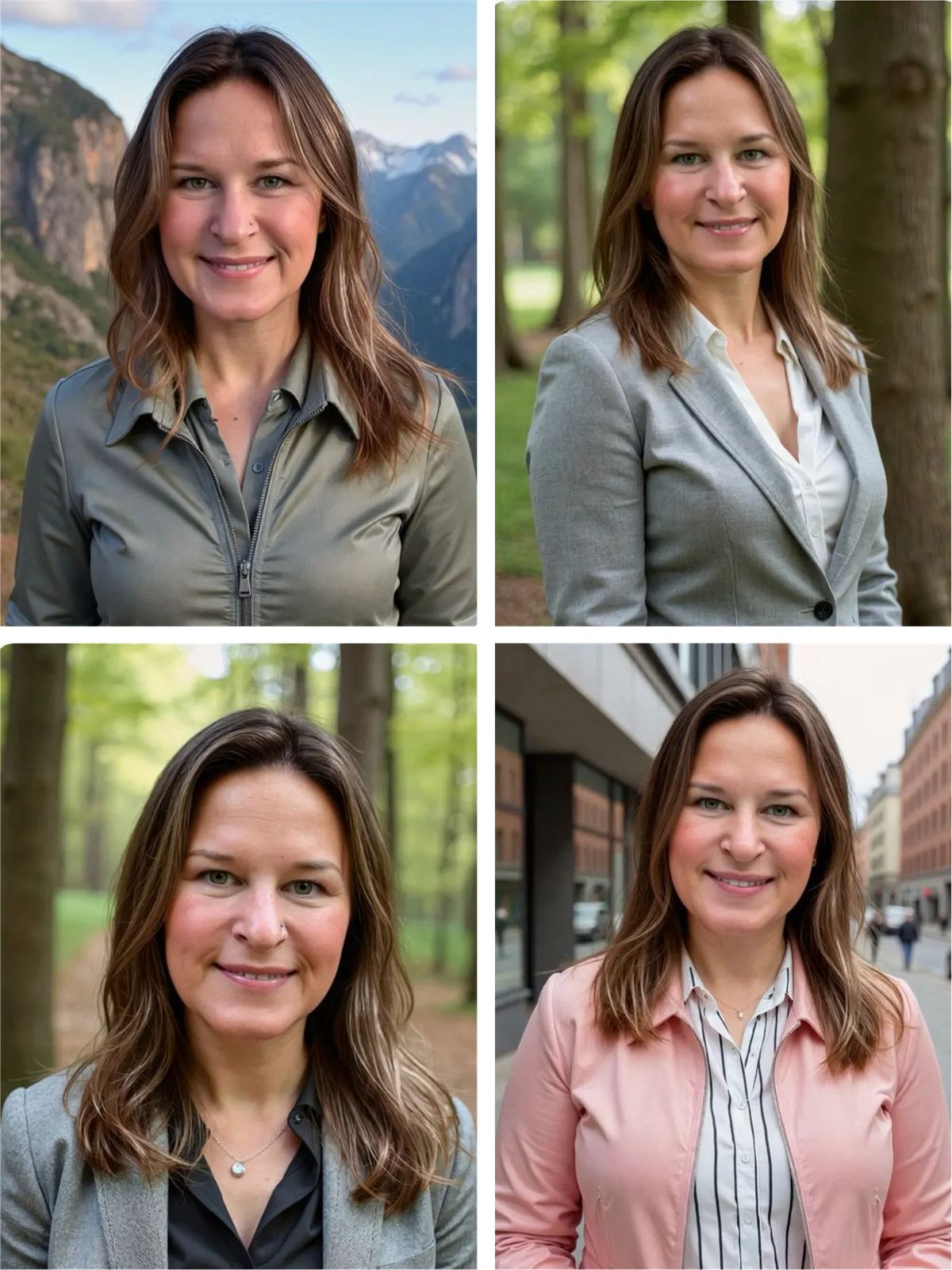
Every headshot in the first set shared the same problem. The smile was technically present but did not look genuine. The eyes looked flat, with muddy colour and no natural reflection. Sarah's light green eyes came through differently in most outputs.
This is the kind of issue that headshot retouching cannot fix after the fact. When the base expression is off, cropping and colour correction will not save it.
Sarah contacted support. They explained that the AI sometimes amplifies something from one input photo and offered a free redo.
After the redo: a second attempt
BetterPic's support team responded quickly. They offered a free redo without argument, and the second set came back fast.
Sarah selected her input photos more carefully this time, removing the image she thought might have caused the expression problem. Her hair came through brown without any photo editing.
The redo still did not produce a headshot she could use.
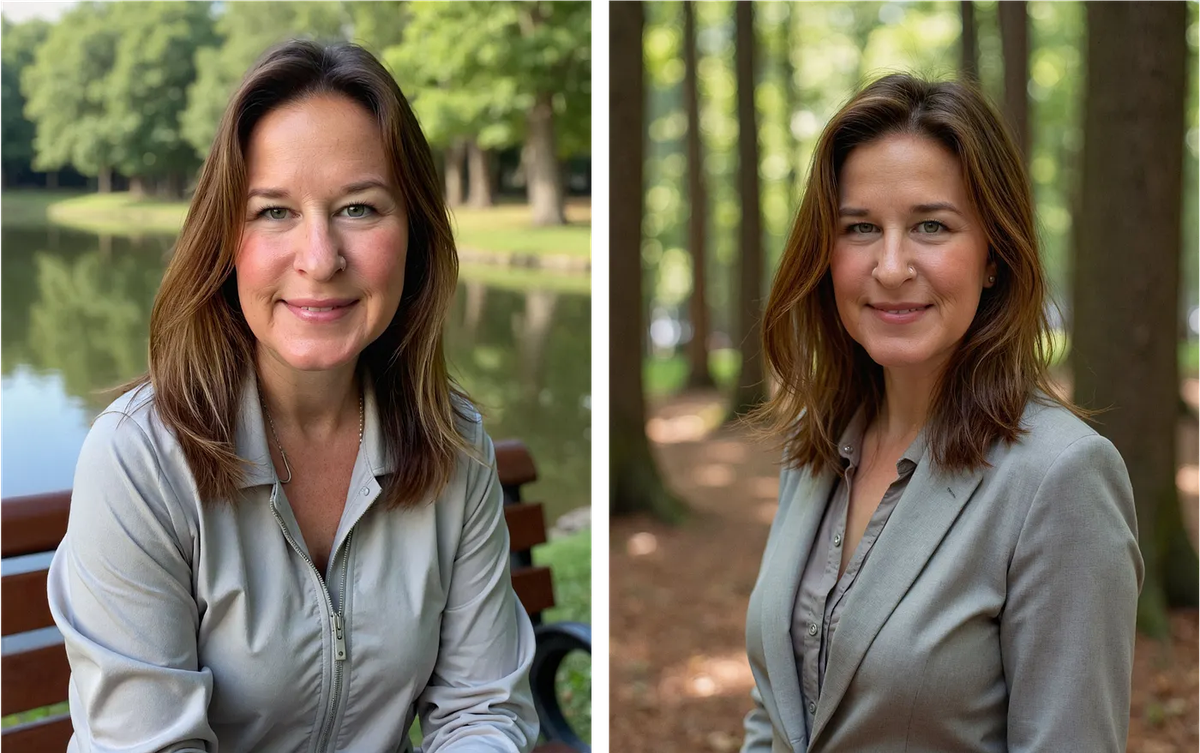
The smile issue shifted but did not go away. Some expressions felt unsettling in a way that is hard to pin down. Not quite human. Not quite right for a professional headshot.
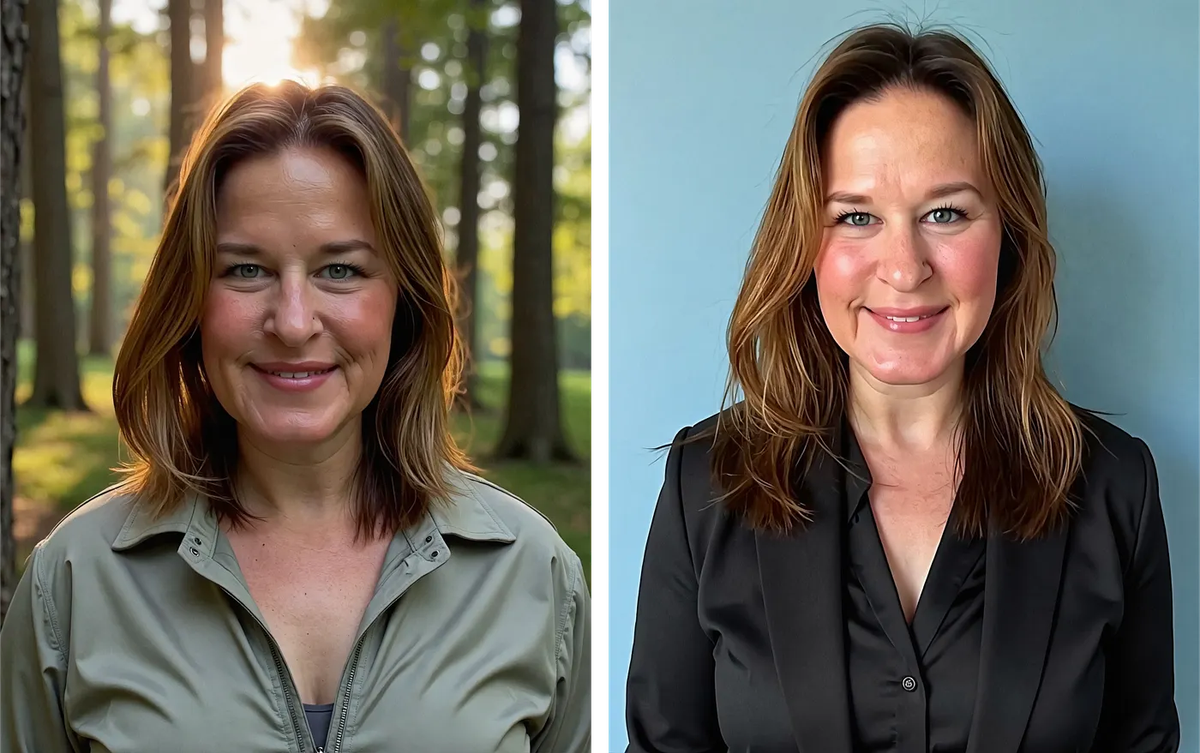
Skin texture was heavily over-processed throughout the redo. No pores, no natural variation. This is a common AI headshot problem, but Sarah found it more visible in BetterPic's outputs than in most other tools she tested.
Age accuracy: wide variance across one photo set
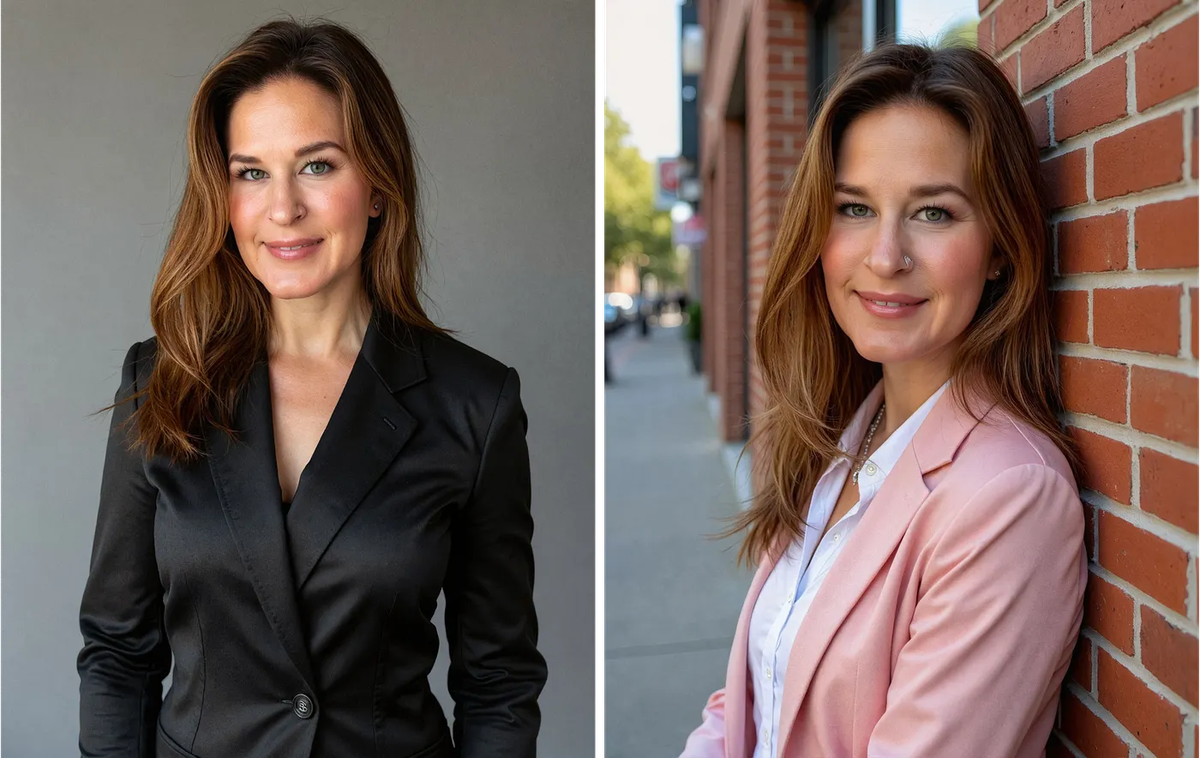
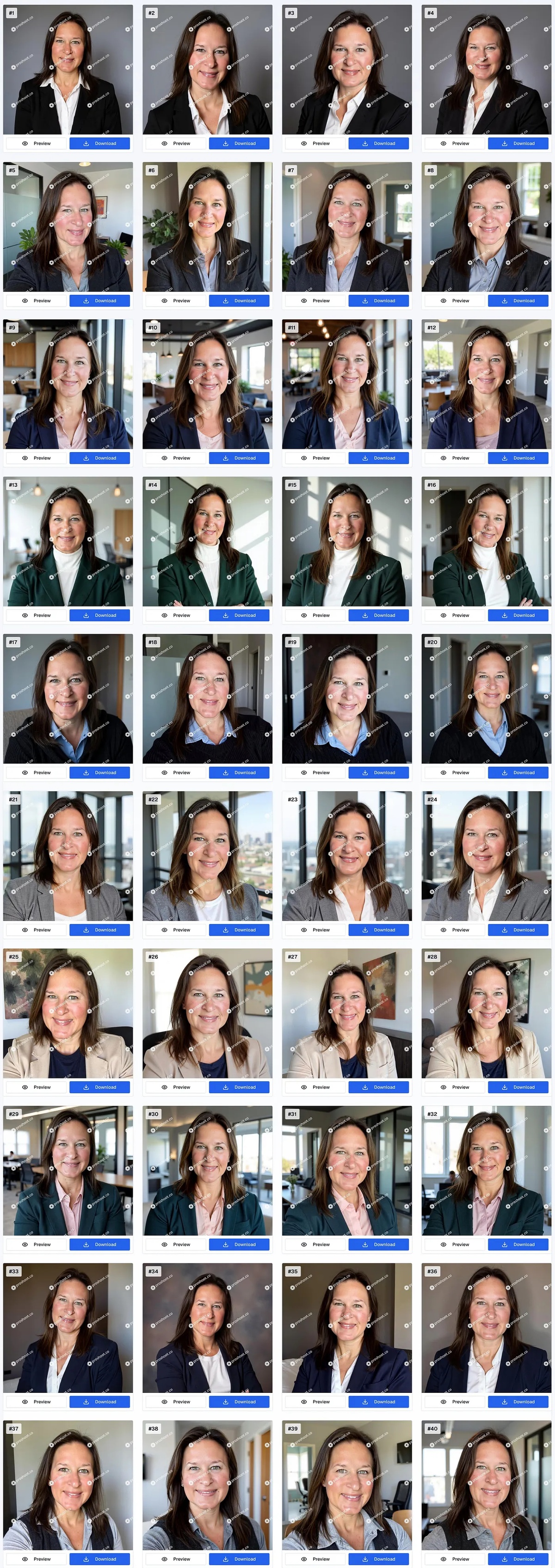
Sarah is 42. Her input photos were from her mid-to-late 30s through early 40s. BetterPic gave her two completely different age ranges across the same outputs.
Some made her look like she was in her early 20s:
Others made her look like she was in her late 60s:
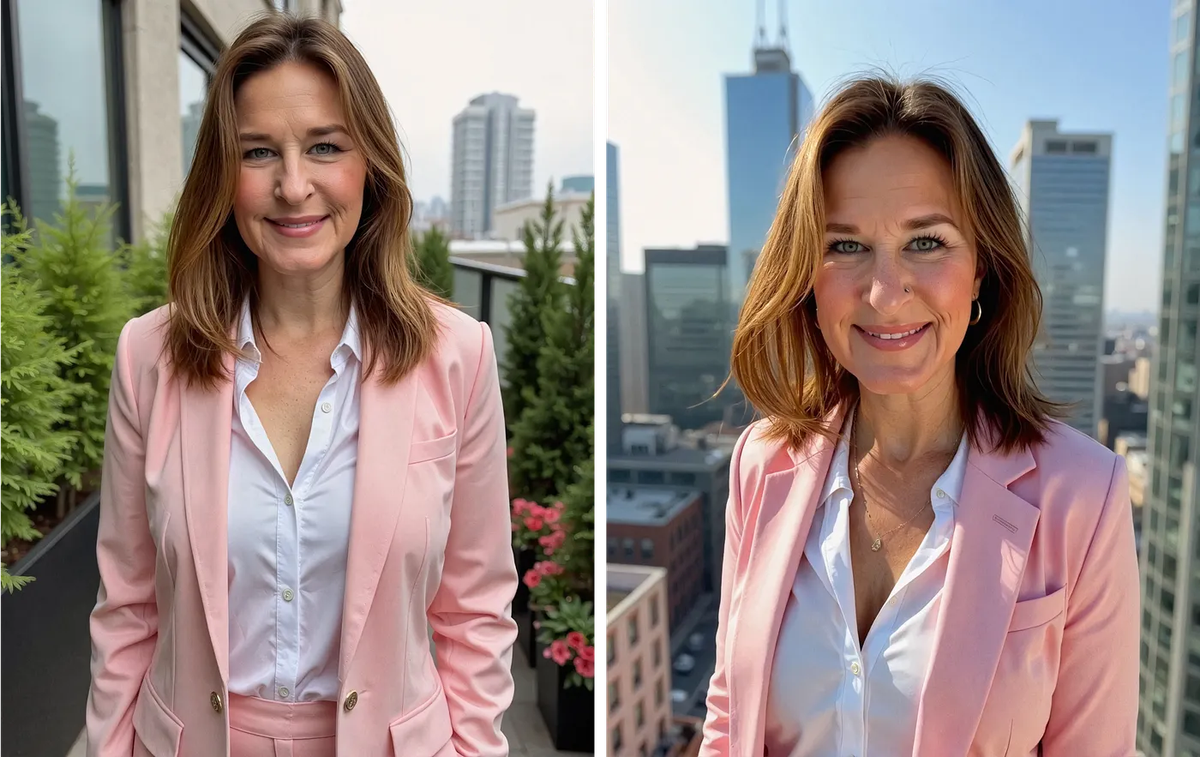
Neither range was close to accurate. For a headshot meant to represent you to clients or colleagues, that kind of age variance is a real concern. Especially if people will meet you in person after seeing the photo.
What BetterPic does well (beyond Sarah's test)
Sarah's test captures one person's experience with a specific photo set. There are also areas where BetterPic stands out as a product.
Support responsiveness. Sarah got quick replies, clear guidance, and a free redo without having to push. That is not guaranteed with every AI headshot tool, and it matters when results do not land on the first attempt.
Fast turnaround. Both the original set and the redo came back in under an hour. For urgent needs, speed is a genuine advantage.
Clean interface. Aside from the hair colour sequencing issue, the onboarding is well-presented. BetterPic does not feel like a cheap or amateur product.
Competitive pricing. Plans run from $35 to $79 for 20 to 120 headshots in 4K, which sits in the mid-range for AI headshot pricing. If your results land well, the value proposition is reasonable.
Reported success from other users. Sarah read reviews from other people who did get usable headshots from BetterPic. Her experience was not universal. Results can vary based on input photos, appearance features, and how the model interprets your training set.
BetterPic pricing
BetterPic uses one-time package pricing. Current plans from BetterPic's pricing page:
| Plan | Cost | Headshots | Styles | Processing | Support | Extras |
|---|---|---|---|---|---|---|
| Basic | $35 | 20 (4K) | 1 style | 2 hours | 48 hrs | 2 AI Edits |
| Pro | $39 | 60 (4K) | 3 styles | 1.5 hours | 24 hrs | 4 AI Edits |
| Expert | $79 | 120 (4K) | 6 styles | 1 hour | 12 hrs | 8 AI Edits, 1 Free Redo, Unlimited Human Edits in 1 Photo |
Pro is marked Most Popular on BetterPic's site. Expert is marked Best Value and includes one free redo. All plans include a commercial license.
At $39 for 60 headshots on Pro, the per-image cost looks competitive. The Expert plan at $79 includes a free redo, which Sarah received from support on her test. Sarah's takeaway was different: zero usable headshots out of her full package is still zero, regardless of unit cost. Your mileage may vary.
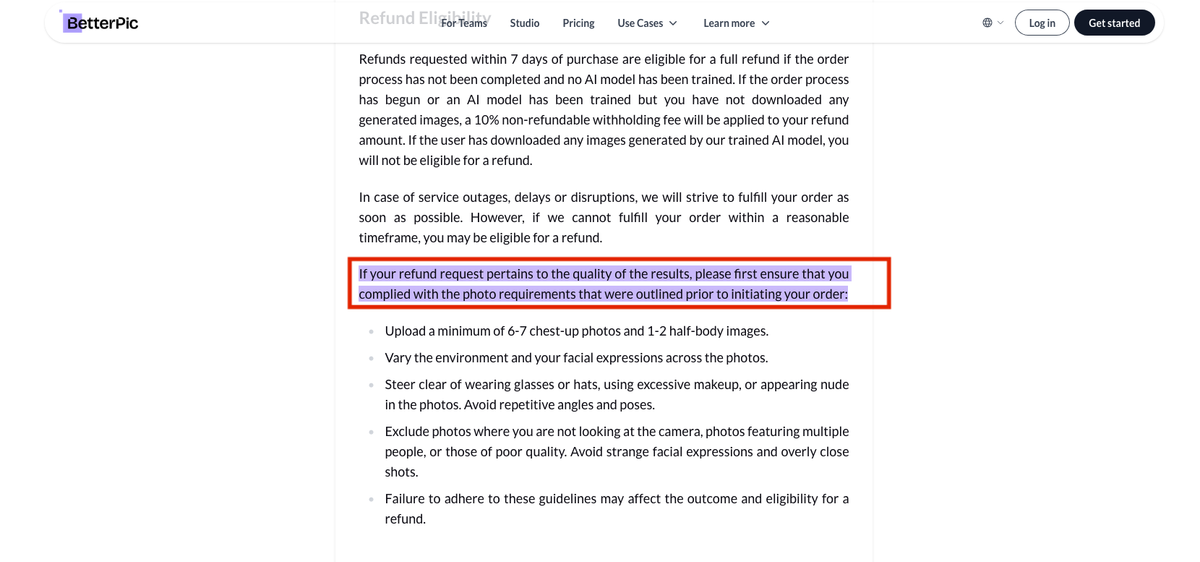
One note worth flagging: BetterPic has a 7-day refund window, but refunds only apply if the AI has not been trained on your photos yet. Once generation starts, the refund option is limited. Read the upload instructions and refund policy before purchasing.
Proshoot: Sarah's results
Sarah ran the same input photos through Proshoot as part of the same comparison test.
The difference in expression quality was clear immediately. Eyes looked engaged. Smiles looked real. Age was accurate to her actual appearance.
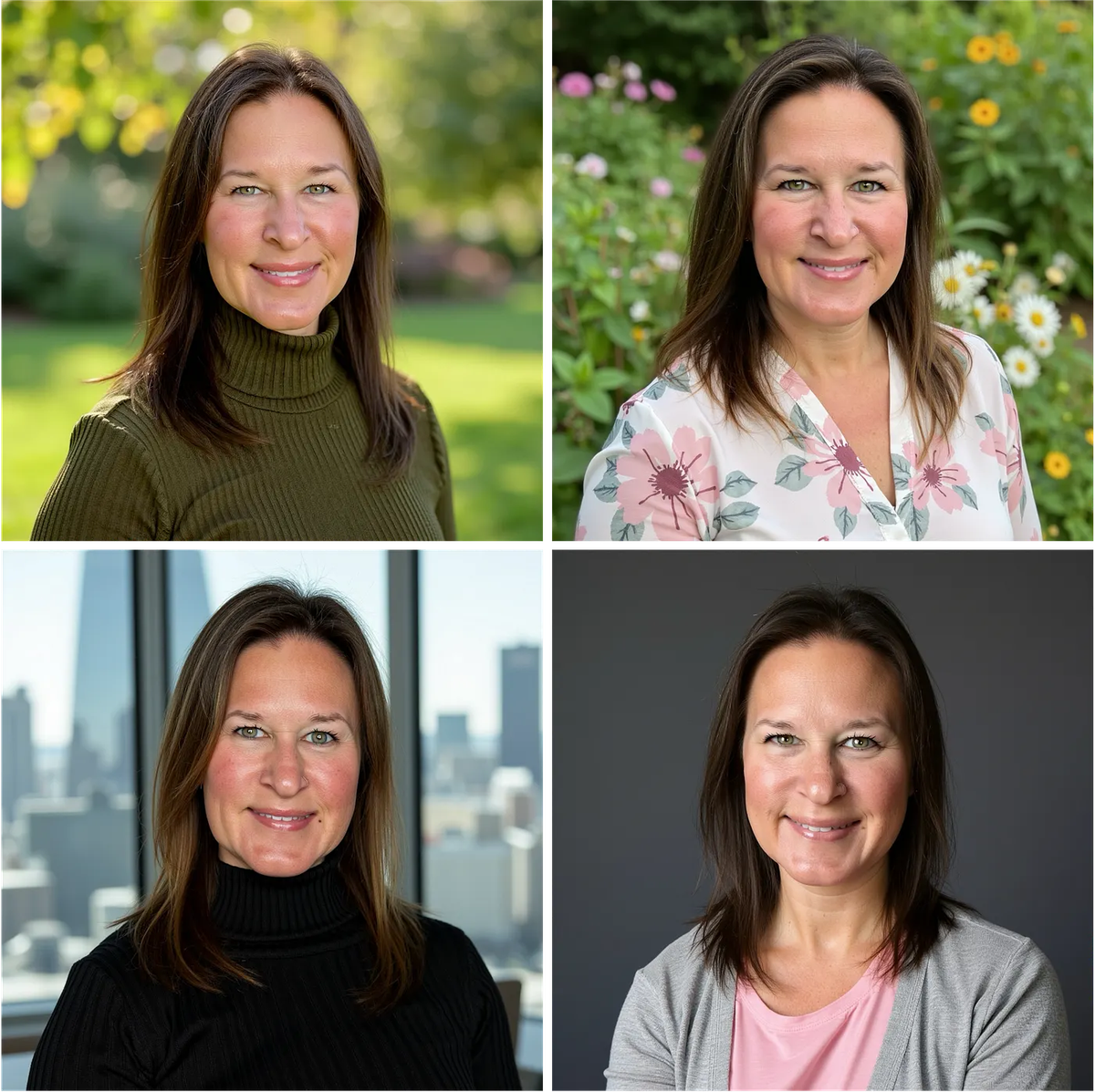
"I was looking for headshots that actually look like me on a good day, not an enhanced version of me. And Proshoot was best for that." - Sarah Gillam
What stood out most was what Proshoot did not do.
"I like how it didn't try to 'repair' my distinguishing features, like my off-center widow's peak and chin dimples."
Sarah came away from Proshoot with several headshots she would actually use. She came away from BetterPic with nothing usable across two attempts on the same photos.
Side-by-side comparison
| BetterPic | Proshoot | |
|---|---|---|
| Face likeness | Recognisable but expression issues | Strong: consistent to source |
| Expression quality | Forced smiles, flat eyes | Natural, engaged |
| Skin texture | Heavy smoothing in Sarah's test | Realistic, textured |
| Age accuracy | Wide variance (20s to 60s) | Accurate to actual age |
| Usable headshots (Sarah's test) | 0 across 2 attempts | Multiple from first attempt |
| Support | Responsive, offered free redo | Responsive, offered free redo |
| Turnaround | Under 1 hour | Under 2 hours |
| Setup UX | Hair colour after Generate | Straightforward |
| Pricing | $35/$39/$79 | $35/$49/$59 |
For a broader look at how these tools fit the market, see our best AI headshot generators roundup and the Aragon AI headshots review from the same test series.
Who should choose BetterPic?
BetterPic may be worth trying if:
- You need fast turnaround and responsive support if something goes wrong
- You are comfortable iterating with a free redo if the first set misses
- Package pricing and volume (up to 120 headshots on Expert) matter to you
- You have read positive BetterPic reviews from users with similar features to yours
Sarah's test did not produce usable results for her. That does not mean every user will have the same outcome. Input photo selection, hair consistency, and expression choices in your training set all affect what you get back.
Who should choose Proshoot?
Proshoot is a better fit if:
- You want headshots that actually look like you, not an enhanced version
- You have distinguishing features you want preserved, not corrected
- Expression quality and natural skin texture matter for professional use
- Consistent face likeness across outputs matters more than volume alone
- You are using headshots where identity recognition counts: LinkedIn, bio pages, client-facing materials
Bottom line
BetterPic is a well-presented product with competitive pricing, fast delivery, and support that responds when things go wrong. Those are real strengths.
Sarah's test surfaces a different side of the BetterPic AI review story. Across two full attempts with carefully selected photos, she could not find a single headshot she would use professionally. Expression quality, skin processing, and age accuracy all missed the mark for her specific needs.
Proshoot's outputs looked like Sarah on the same source photos. That was the point of her test.
"I was looking for headshots that actually look like me on a good day, not an enhanced version of me. And Proshoot was best for that." - Sarah Gillam
You can read Sarah's full independent review, covering all four tools she tested, on Medium: Which AI headshot generator is the best?
If likeness and natural expression matter most for your headshots, try Proshoot and see how your results compare.
Frequently Asked Questions

Fazil
Content Writer